Frequently asked questions
Can I use this on an older iPad or iPhone?
Time Gates will work on older iDevices, but some of the functionality isn’t the same.
Time Gates needs iOS or iPadOS 17.4 or later. Screen time, reminders and notifications to you and your child work the same on every version. What changes is on the screen your child sees when an app is closed: from iOS 26.5, its buttons can open Time Gates, and before 26.5 they cannot.
Each pair below shows the same screen on iOS 26.5 and later, and on an older iOS.
These pictures are drawn from Time Gates as it is built today. Current screens may vary. Pictures marked recreation are drawn from the app’s code alone, with no earlier picture to work from.
A closed app, with snoozes left
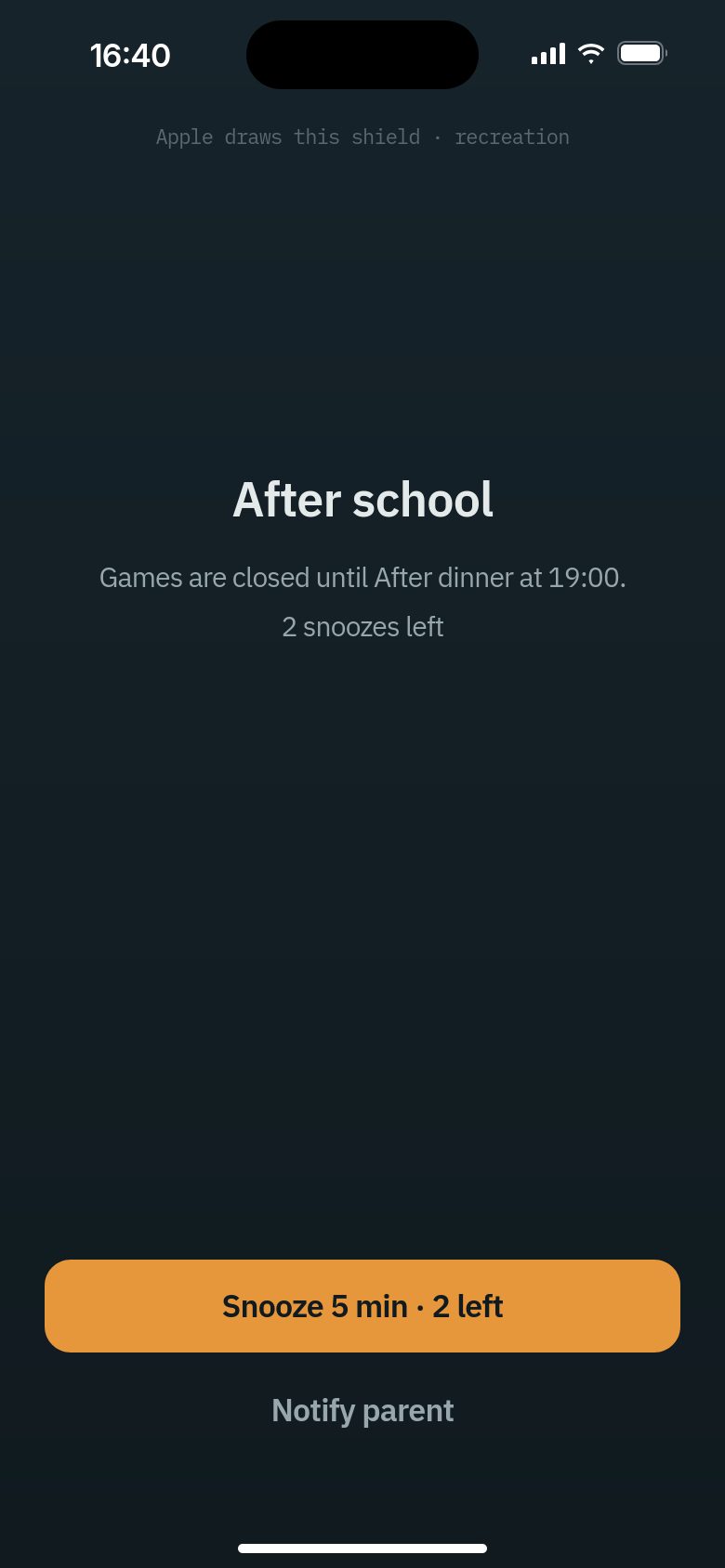
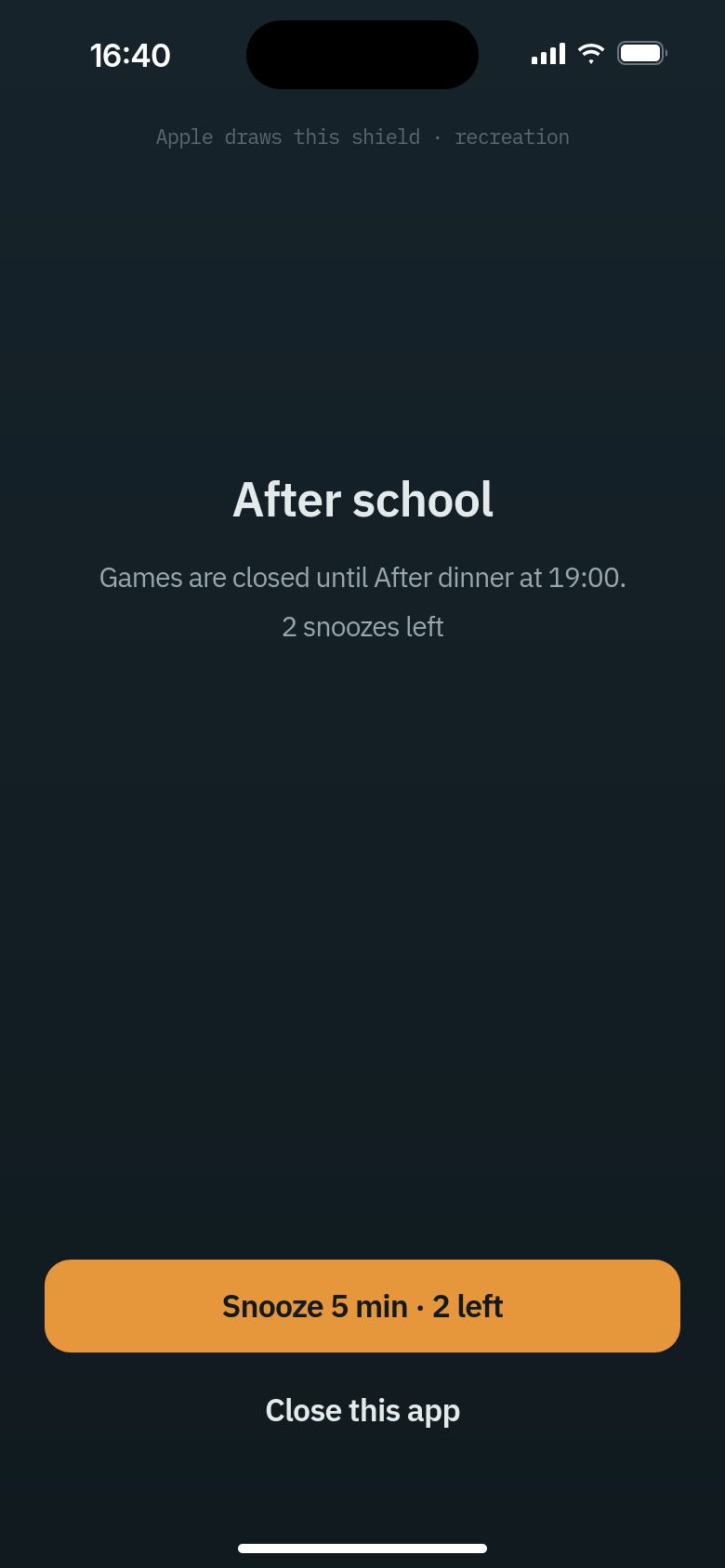
Snooze works the same. On an older iOS the second button is Close this app instead of Notify parent.
What your child can do next
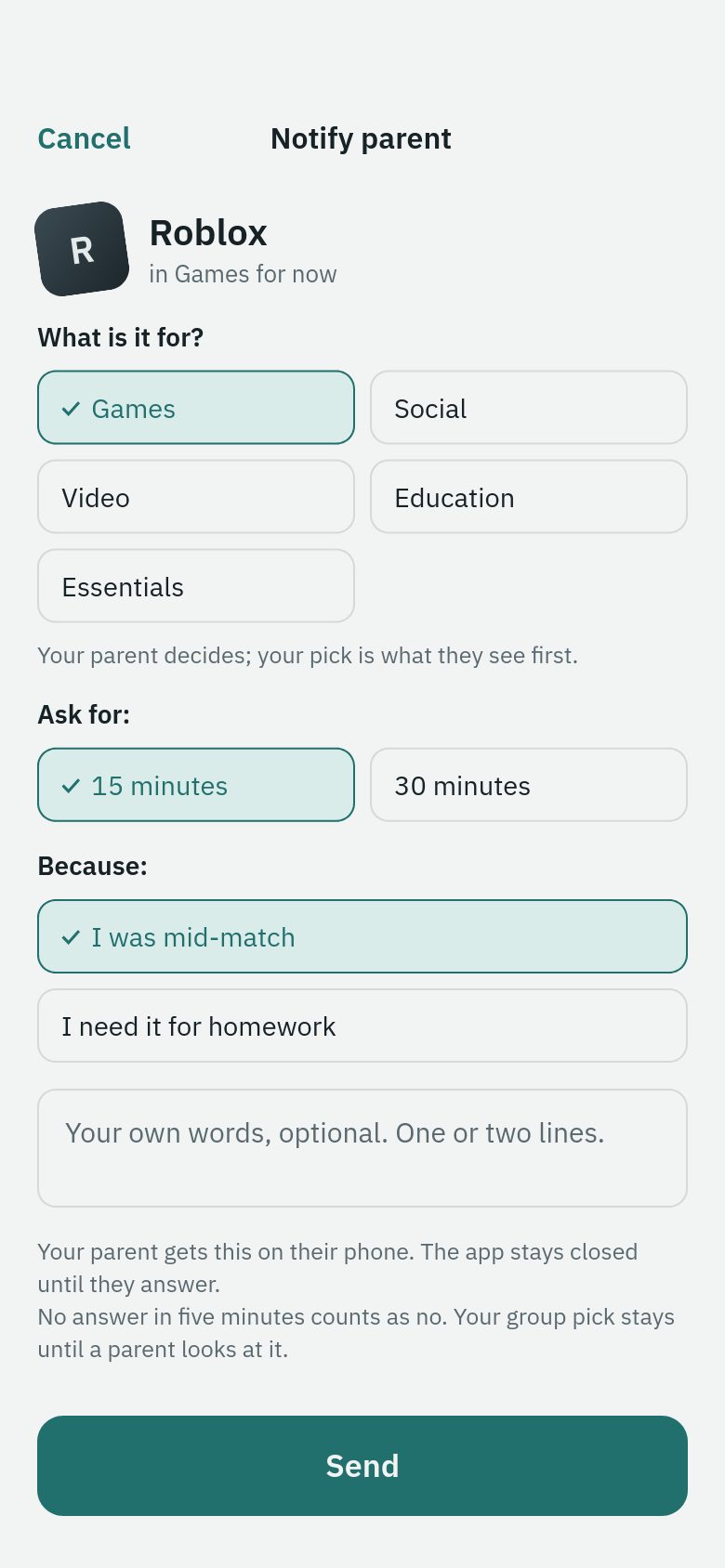
iOS 26.5 and later
Closed app › Notify parent › Time Gates opens on Notify parent › Choose how long and why › Send › Home says Asked. Waiting for an answer.
Older iOS, such as 18.6
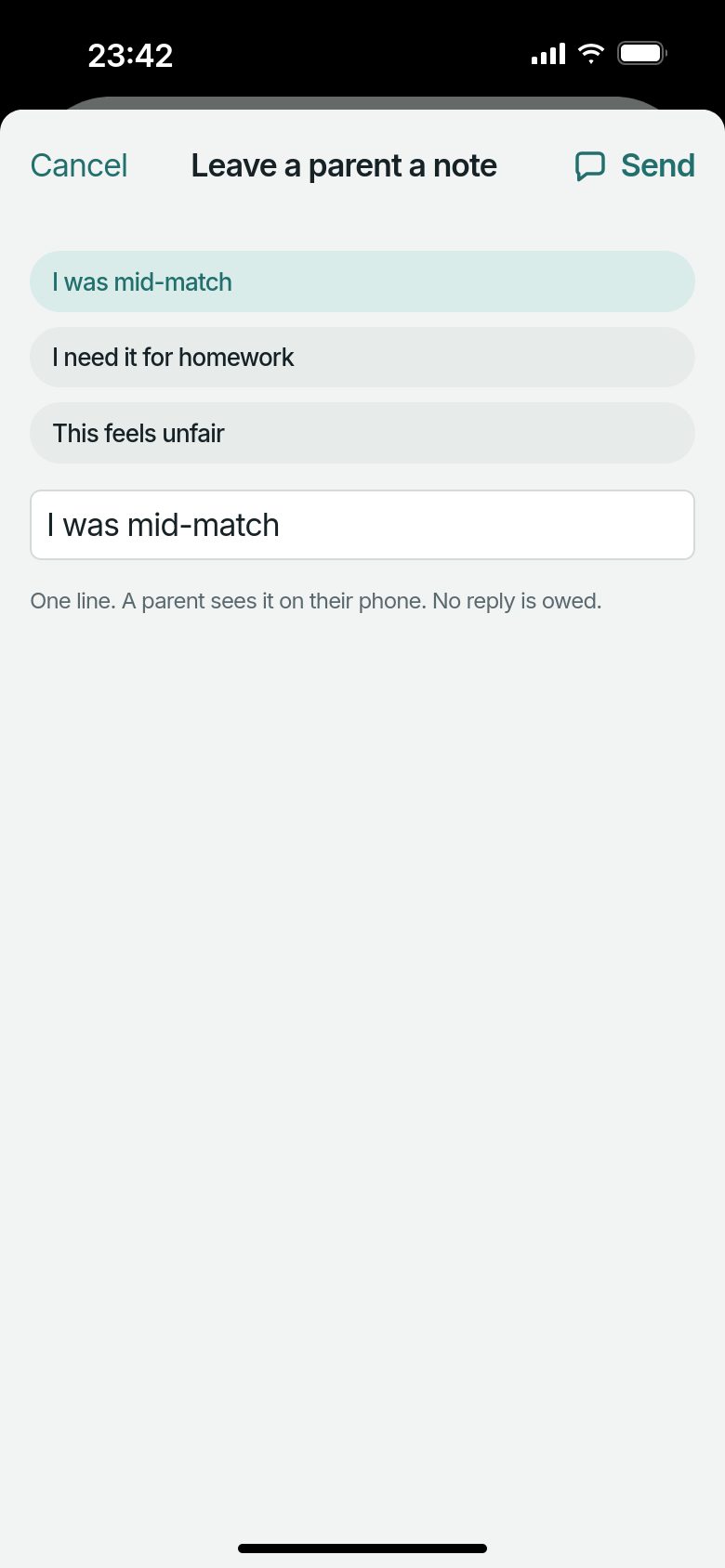
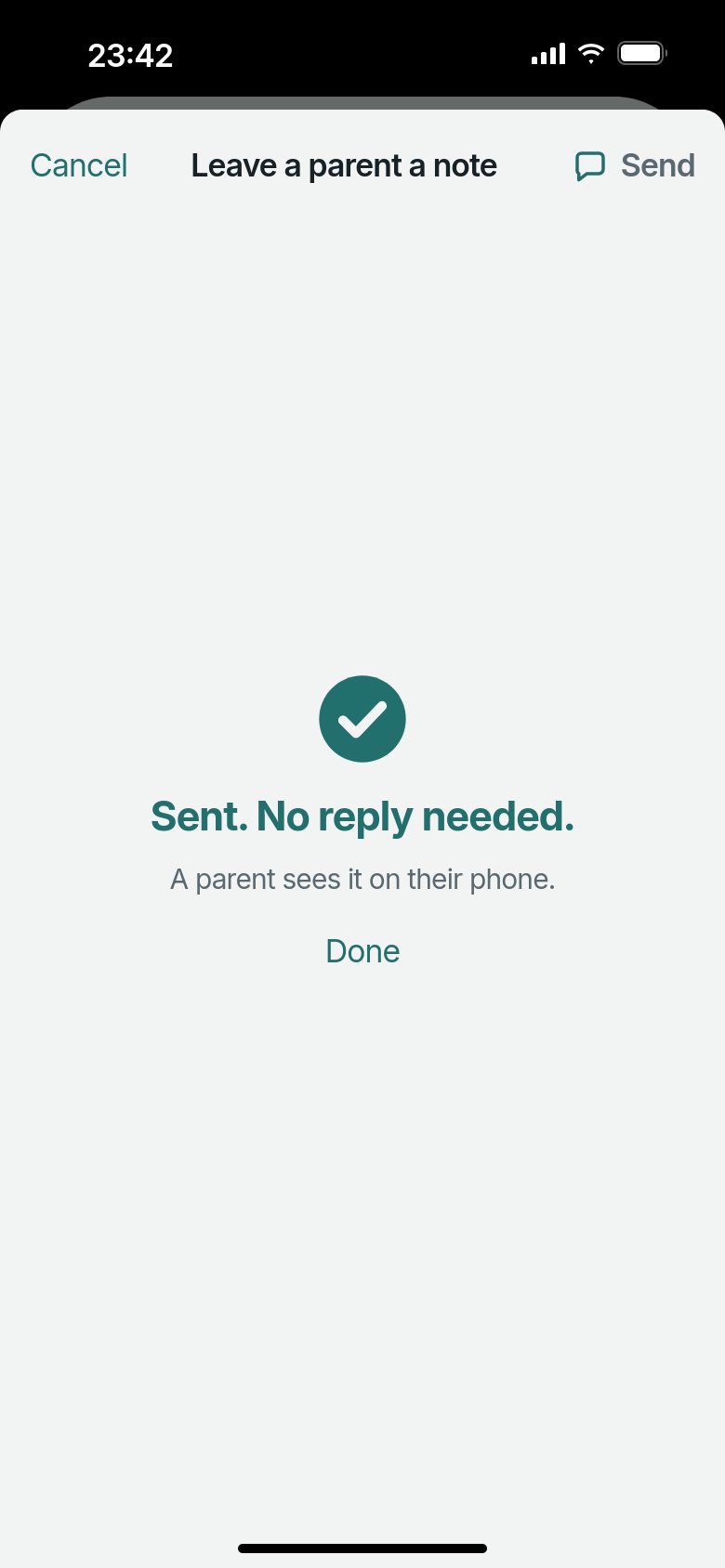
Closed app › Close this app › Open Time Gates › Settings (the gear) › Leave a parent a note › Send › Sent. No reply needed.
Asking for more time from Home appears only once the day’s snoozes are used up, so with snoozes left a note is the way to tell you something.
A closed app, with no snoozes left
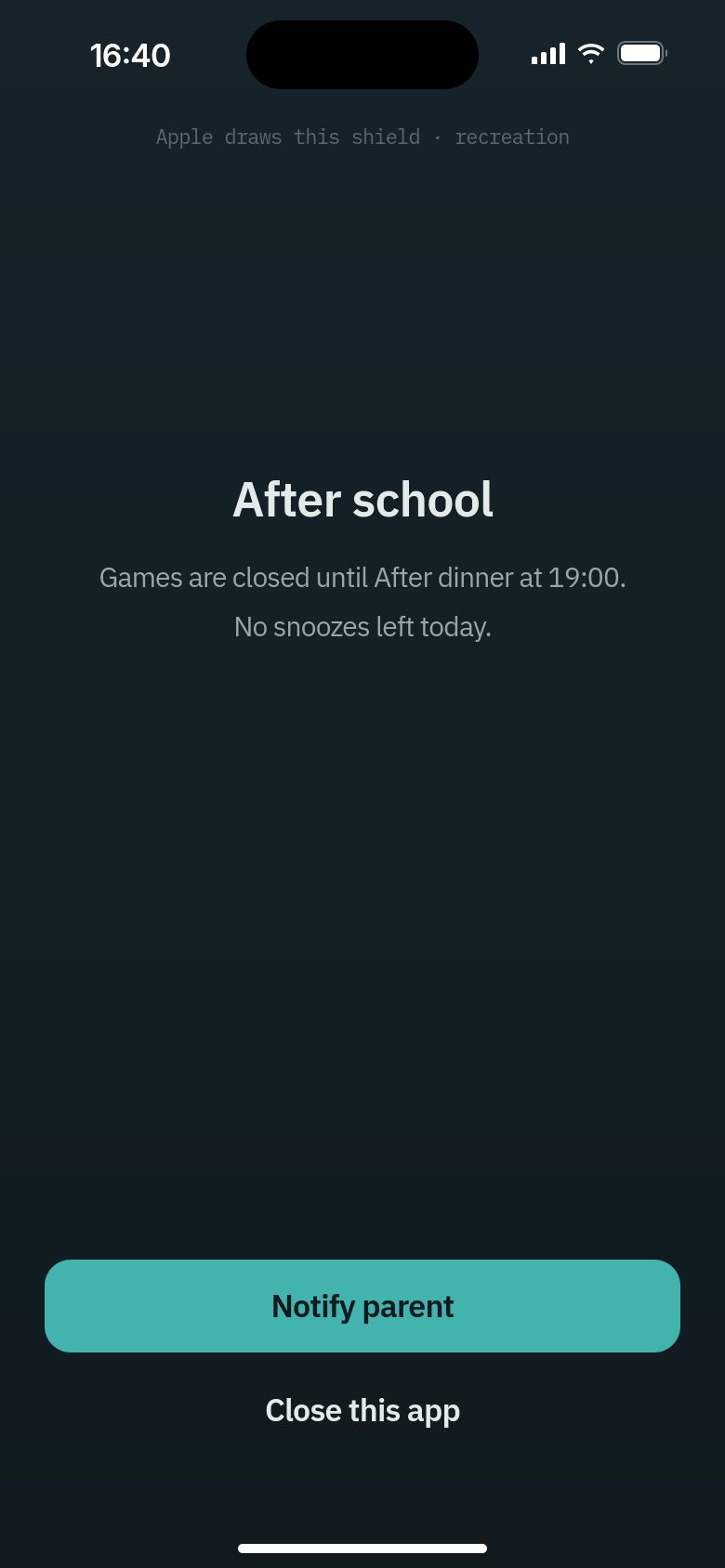
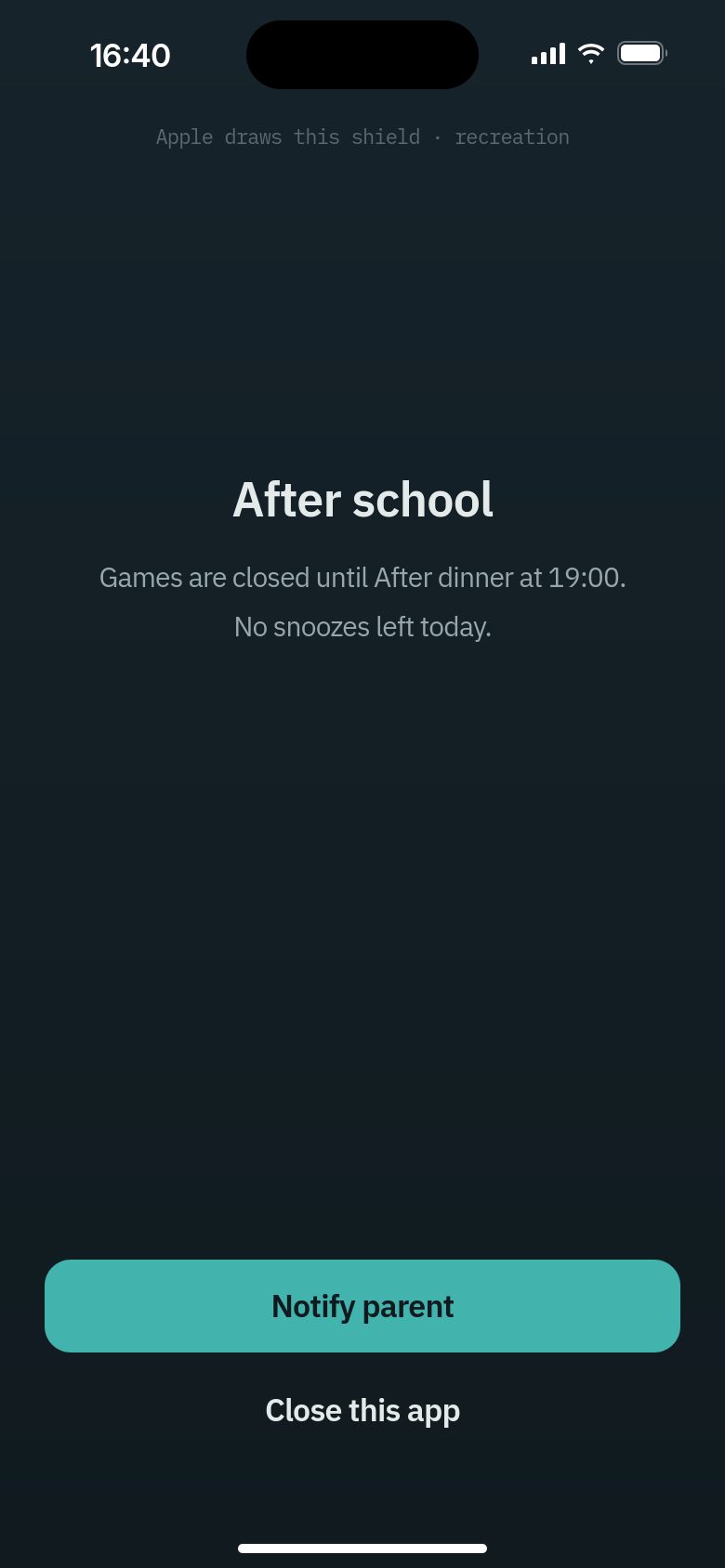
Both say Notify parent. On iOS 26.5 it opens Time Gates so your child can say how long and why. On an older iOS it asks you for one more snooze straight away.
What your child can do next
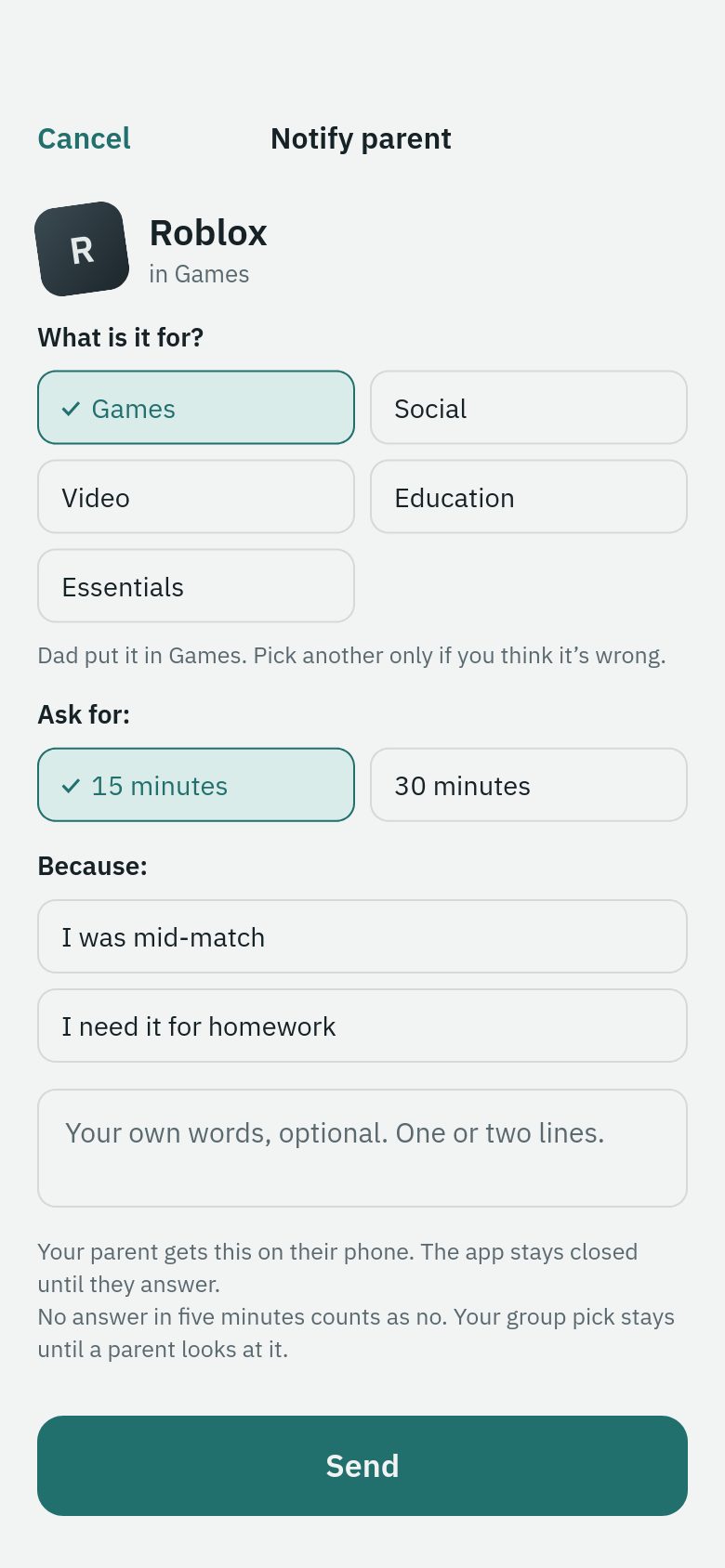
iOS 26.5 and later
Closed app › Notify parent › Time Gates opens on Notify parent › Choose how long and why › Send › Home says Asked. Waiting for an answer.
Older iOS, such as 18.6
Closed app › Notify parent › A request for one more snooze goes to you › A notification says Ask saved › The closed app screen stays as it was
Nothing on the closed app screen changes after the press, and pressing Notify parent again only closes the app while the first request waits. Opening Time Gates shows Asked. Waiting for an answer. If your child closes the app first instead: Close this app › Open Time Gates › Home › Notify parent › Choose how long and why › Send.
Sleep, when the whole device is closed
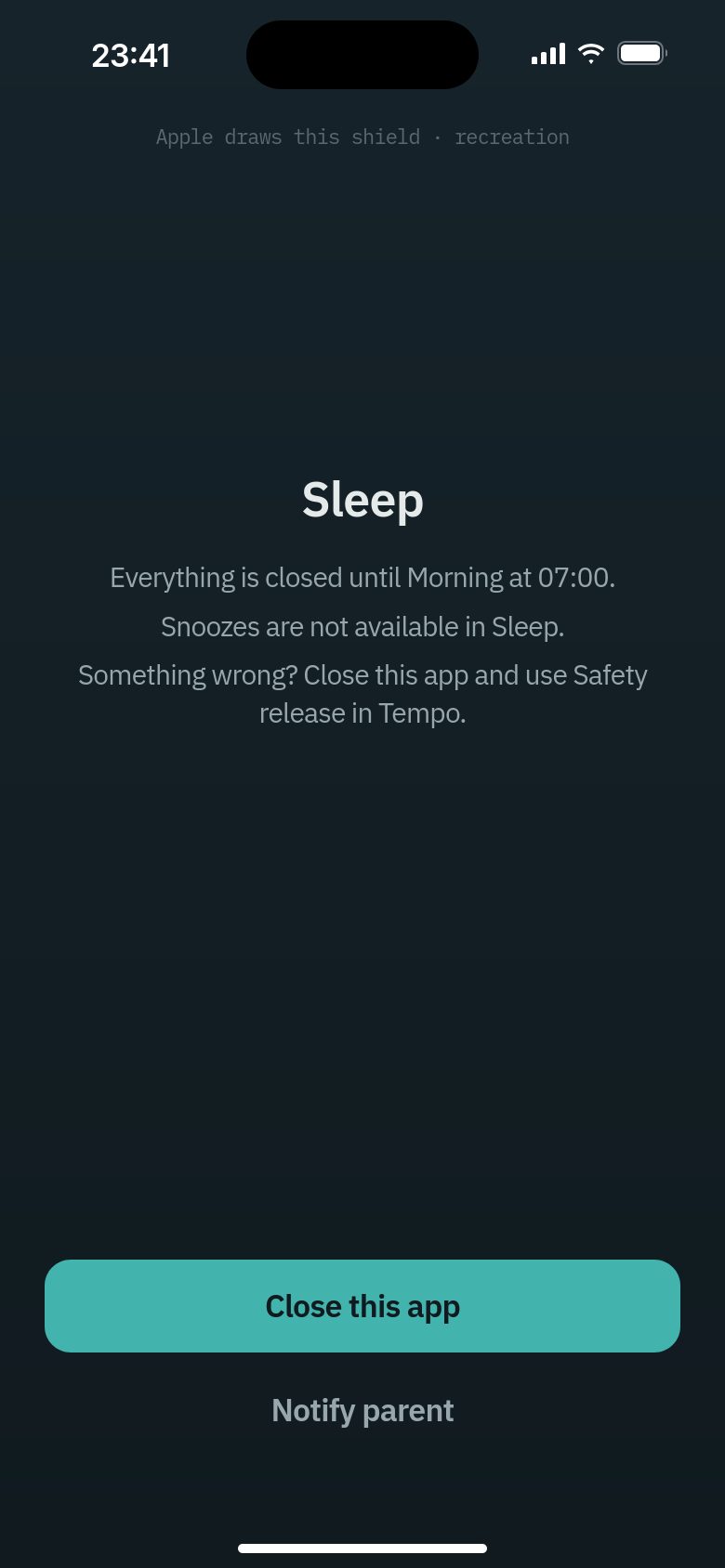
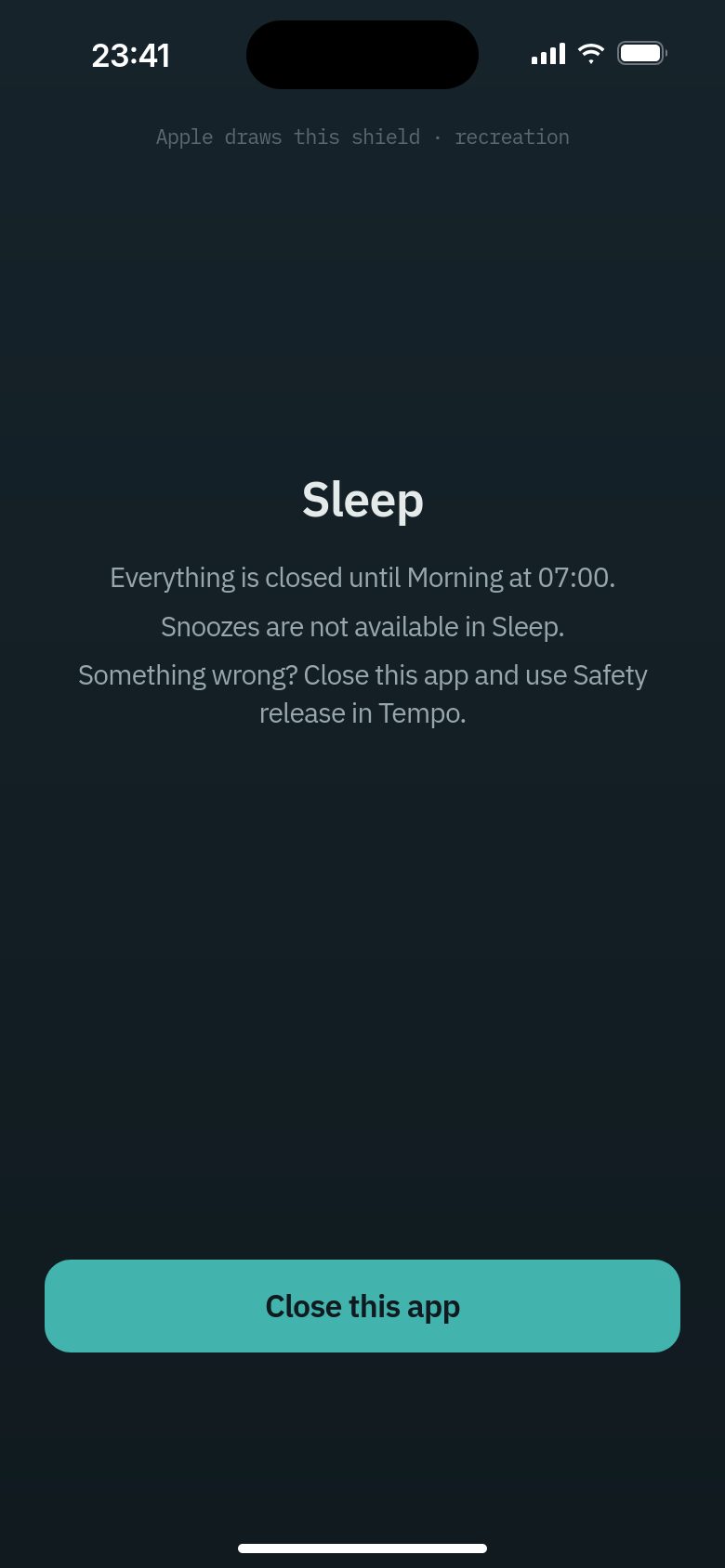
On an older iOS there is no Notify parent at night. Close this app is the only button.
What your child can do next
iOS 26.5 and later
Sleep screen › Notify parent › Time Gates opens on Notify parent › What is it for, and any words › Send › Sent.
Nothing can be asked for at night; it is a message to you.
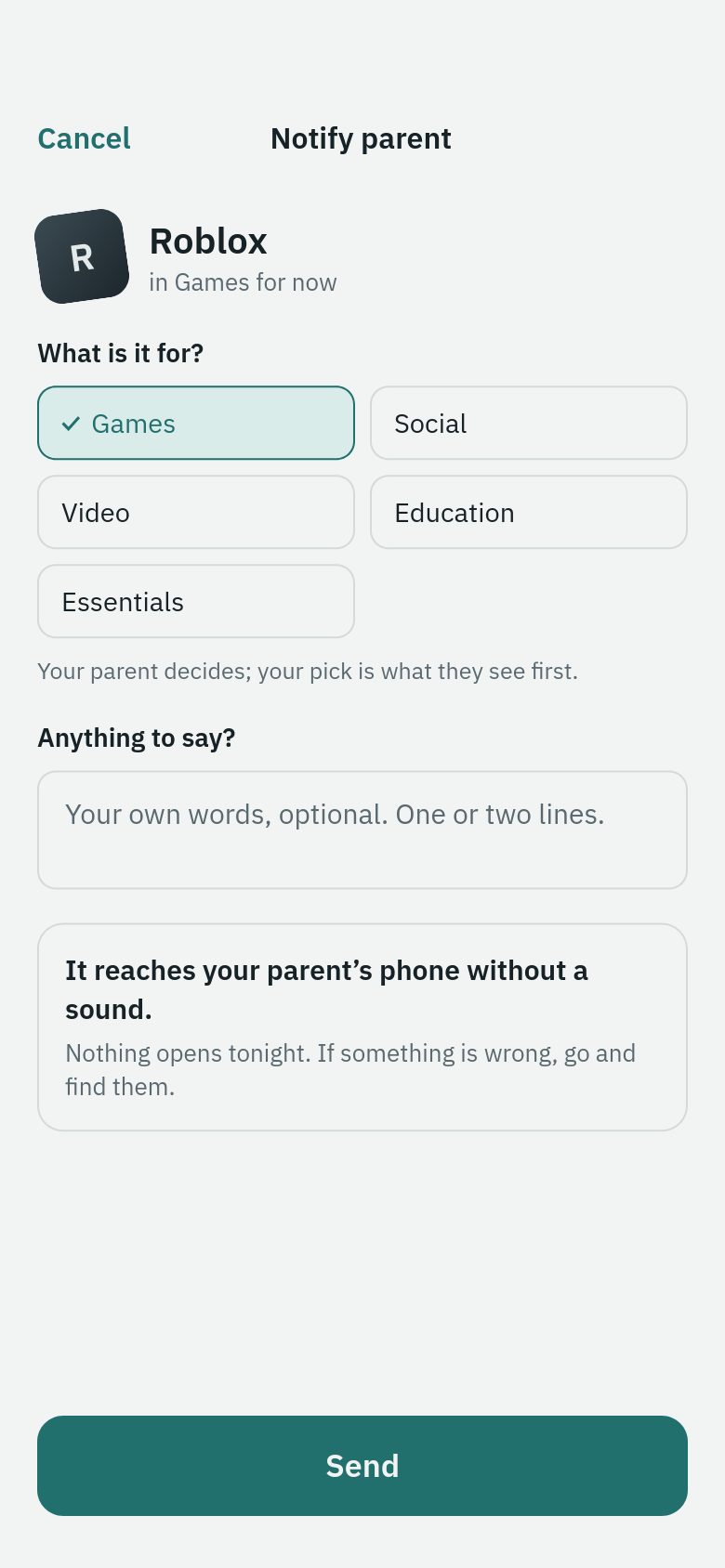
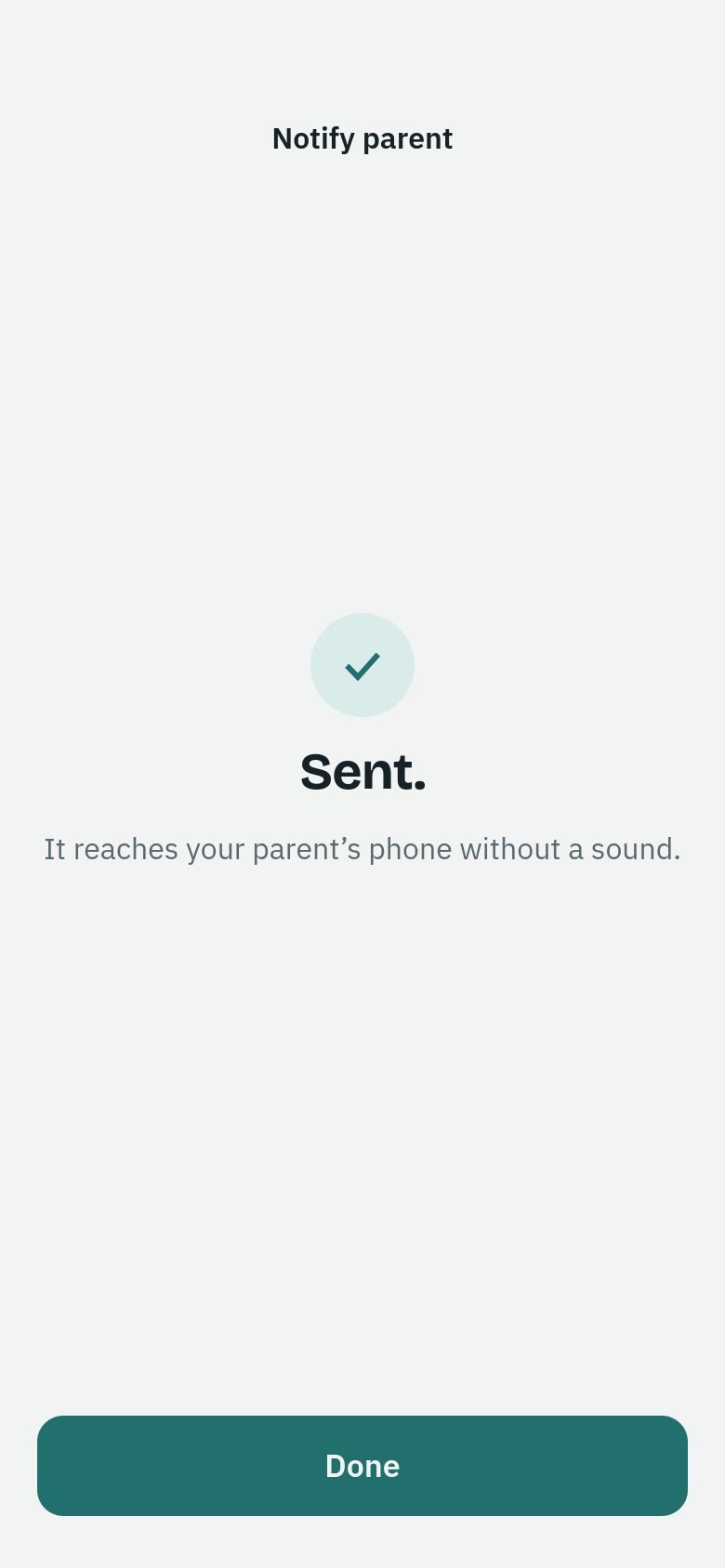
Older iOS, such as 18.6
Sleep screen › Close this app › Open Time Gates › Home › Leave a parent a note › Send › Sent. No reply needed.
Home shows Leave a parent a note beside the time card while the device is closed. Safety release is on Home too.
When Time Gates needs updating
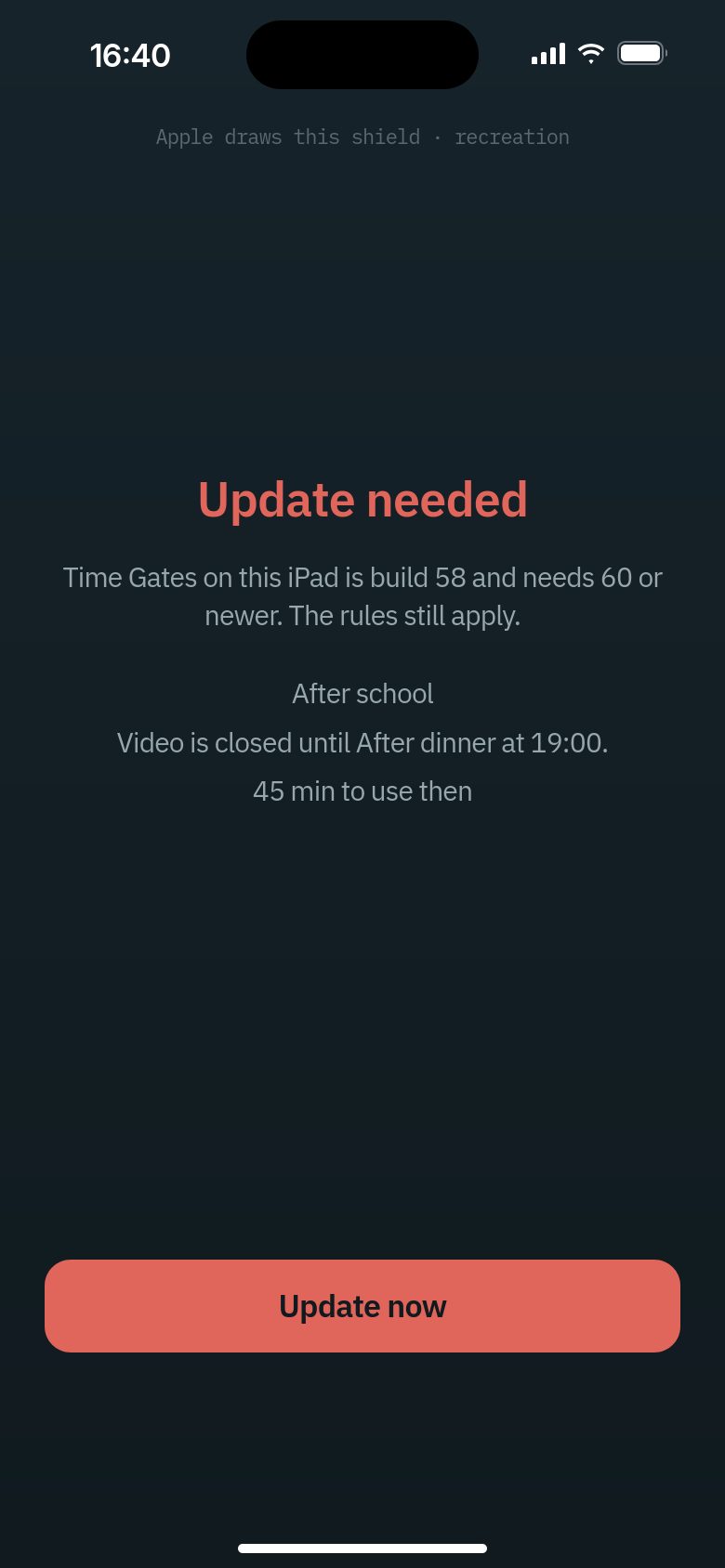
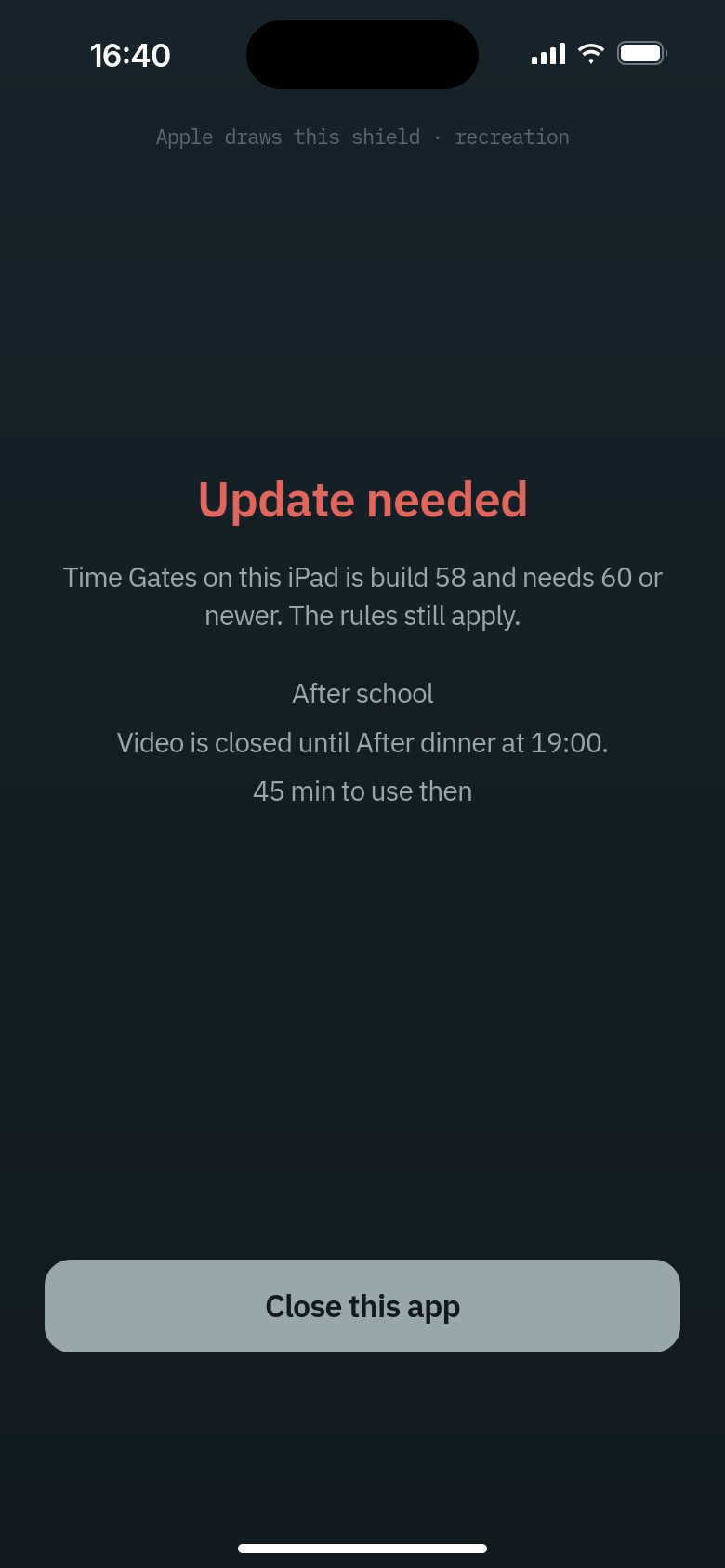
On an older iOS the Update now button becomes Close this app, so your child updates from Time Gates itself.
What your child can do next
iOS 26.5 and later
Update needed screen › Update now › Time Gates opens on its update screen › Update now › TestFlight
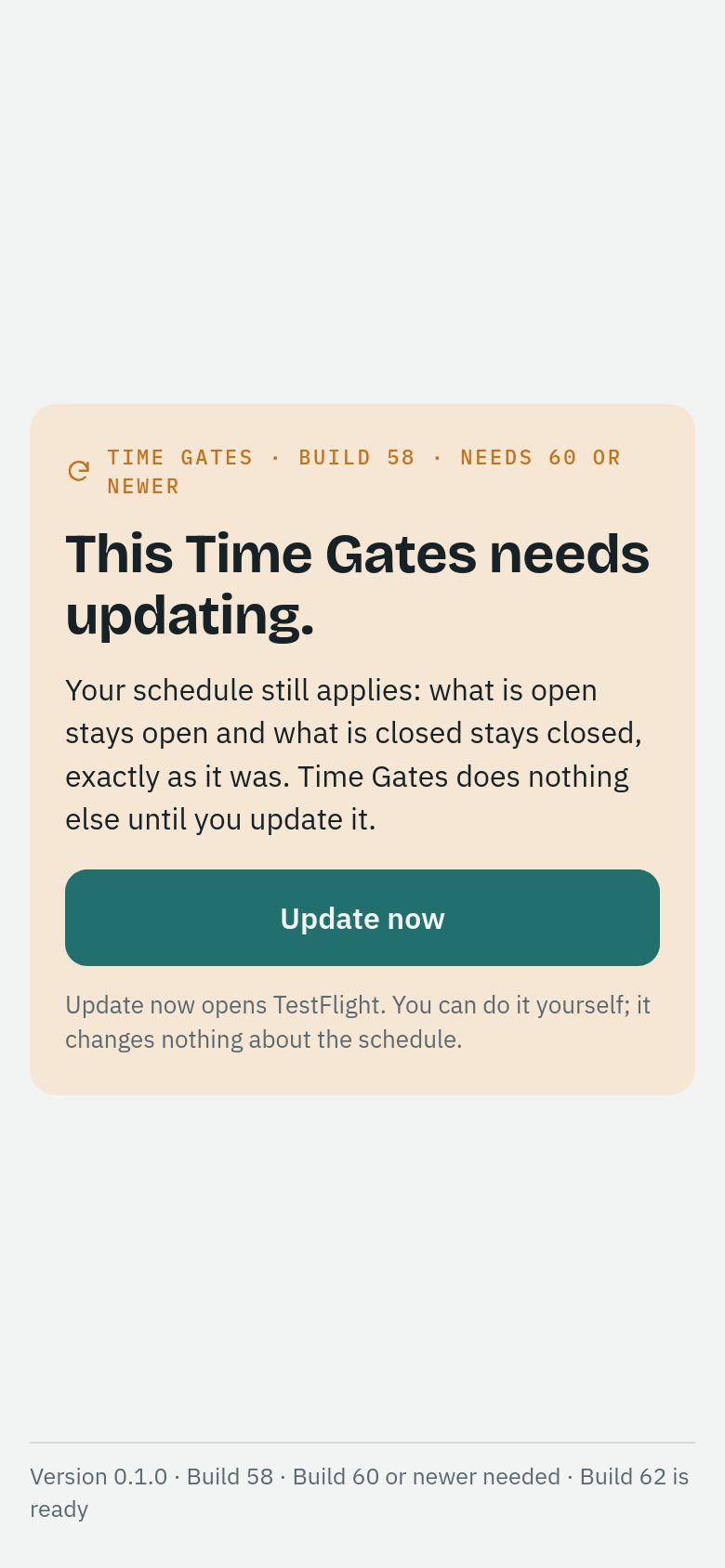
Older iOS, such as 18.6
Update needed screen › Close this app › Open Time Gates › Its update screen › Update now › TestFlight
Until it is updated, Time Gates shows only this screen. The schedule still applies.
A parent looking at one child
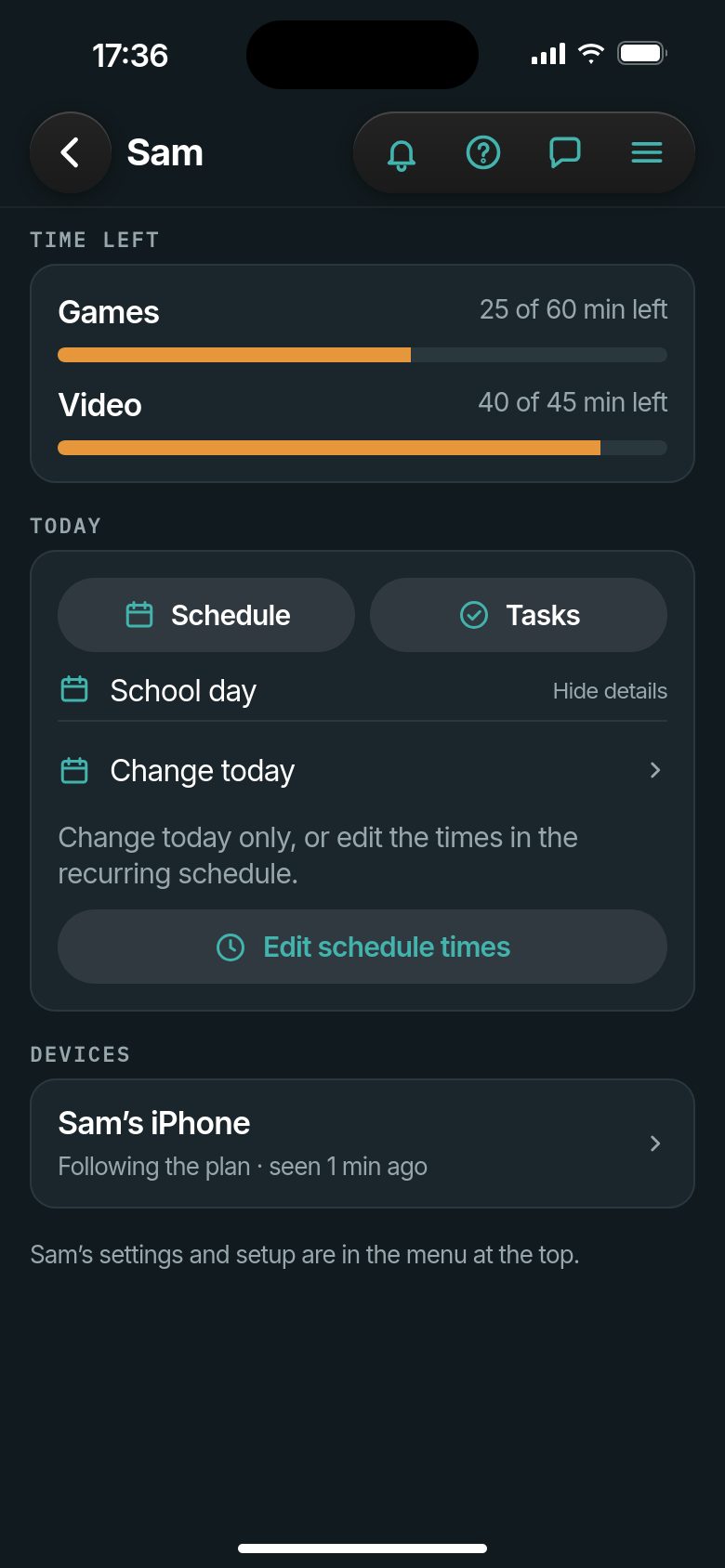
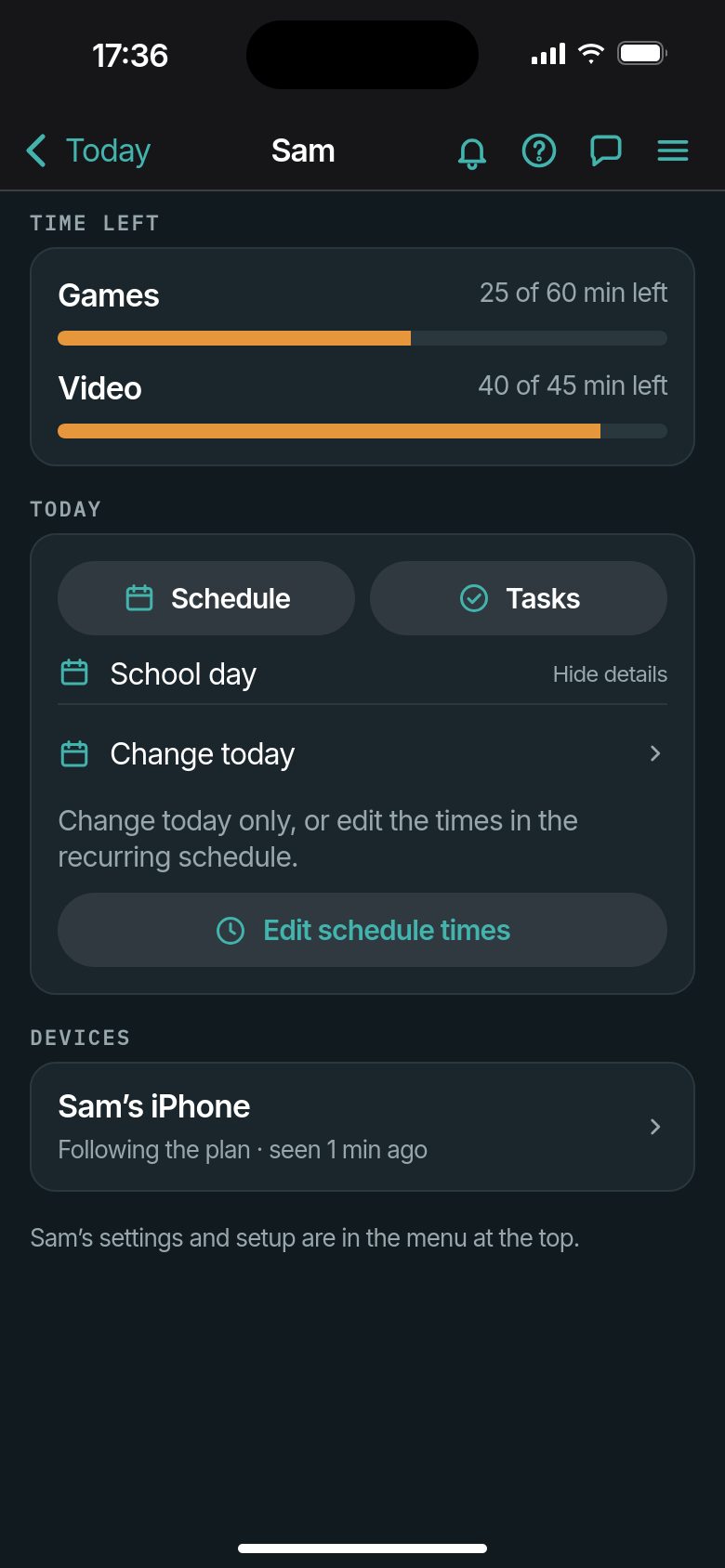
Only the look changes. On iOS 26 the child name sits beside the back button; on an older iOS it is centred in the top bar.
Version 133 · Privacy · Terms of use · Appearance